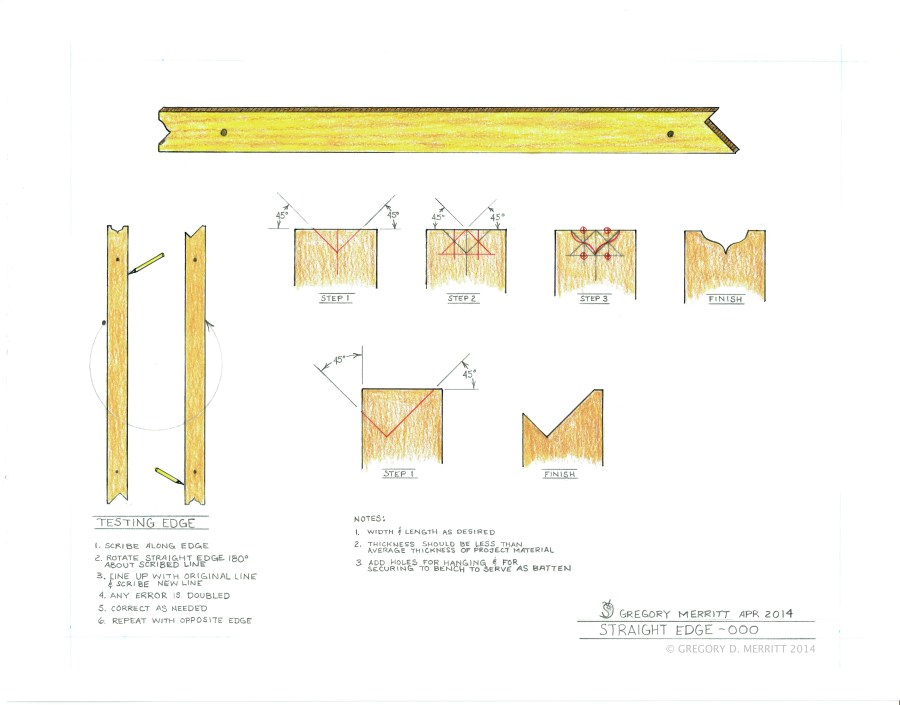
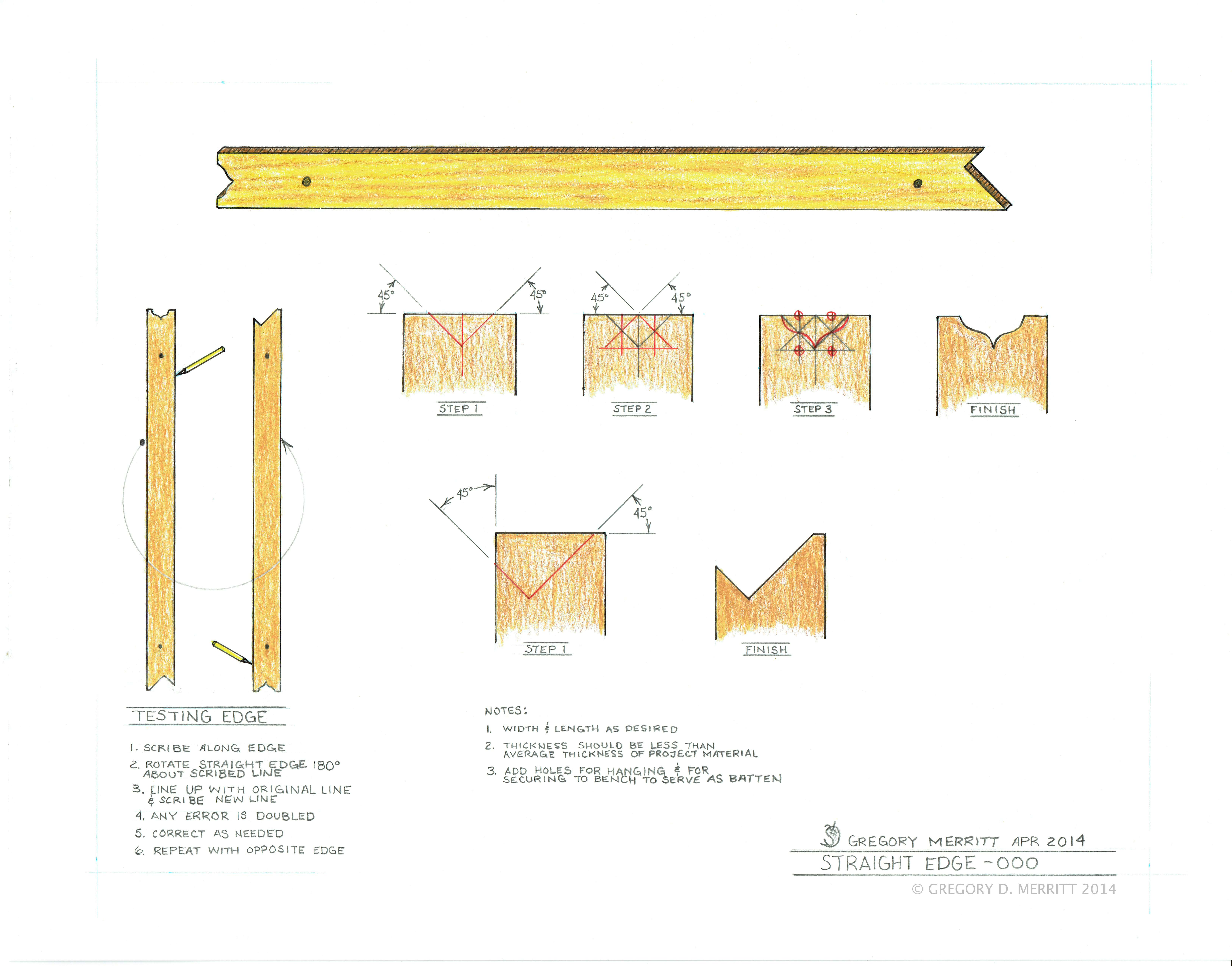
I often read your blog and appreciate all the good info. Today I was poring over all your illustrations and found one thing I’m not sure I get. It has to do with the testing method for a DIY straightedge as shown on your April 2014 drawing. You say to make a line and then rotate the edge 180 deg. around said line then make a second line off the same edge. Would you not want to instead flip the tool over 180 deg. as you would the page of a book? This would compare the same edge to itself, and also match up point to point for the full length of the straightedge. The listed method matches edge to edge, but mirrors the top to bottom profile, yes? As a grossly exagerated example, if the edge of the tool looked like one leg of your ogee detail on the end, rotating would cause the second line to nest perfectly with the first drawn line would it not?
I don’t mean to nitpick, just wondered if I’m missing something. I’ve really enjoyed snooping through all your postings, and especially enjoy your exploration of finish textures. I hope you’ll continue the postings…..I know it’s a lot of work and time, but is enjoyed by many!
Hi Bob,
Both methods work. The difference being that the method I illustrate tests the same exact corner. Flipping tests the same edge but, opposite corner. If the edge is 90deg to both faces of the straight edge the flip method works fine. I plane the edges of my straight edge with a slight bevel so as to create better access when scribing. Hence my testing method. It is also why I have the face marked with my logo. When using this straight edge the logo is always up and I keep both edges tested and true. Hope that makes sense.
Thanks for the kind words. It is always great to hear from folks who are enjoying what I am putting on the blog.

 HILLBILLY DAIKU
Hey Greg,
I often read your blog and appreciate all the good info. Today I was poring over all your illustrations and found one thing I’m not sure I get. It has to do with the testing method for a DIY straightedge as shown on your April 2014 drawing. You say to make a line and then rotate the edge 180 deg. around said line then make a second line off the same edge. Would you not want to instead flip the tool over 180 deg. as you would the page of a book? This would compare the same edge to itself, and also match up point to point for the full length of the straightedge. The listed method matches edge to edge, but mirrors the top to bottom profile, yes? As a grossly exagerated example, if the edge of the tool looked like one leg of your ogee detail on the end, rotating would cause the second line to nest perfectly with the first drawn line would it not?
I don’t mean to nitpick, just wondered if I’m missing something. I’ve really enjoyed snooping through all your postings, and especially enjoy your exploration of finish textures. I hope you’ll continue the postings…..I know it’s a lot of work and time, but is enjoyed by many!
Hi Bob,
Both methods work. The difference being that the method I illustrate tests the same exact corner. Flipping tests the same edge but, opposite corner. If the edge is 90deg to both faces of the straight edge the flip method works fine. I plane the edges of my straight edge with a slight bevel so as to create better access when scribing. Hence my testing method. It is also why I have the face marked with my logo. When using this straight edge the logo is always up and I keep both edges tested and true. Hope that makes sense.
Thanks for the kind words. It is always great to hear from folks who are enjoying what I am putting on the blog.